




Changes appear instantly
Skip repeated exports, file transfers and opening images.
FRAMEMIRROR · LIVE DESIGN PREVIEW
See your Mac designs on iPhone in real time.
Check every change without exporting images again and again.
Change the color to see both screens update.
Interactive demo · Install the apps for live previews THE EVERYDAY / VOL. 01A littleTHE EVERYDAY / VOL. 01A little
Works with the tools you already use.
Why preview on a real device
What looks right on a computer may feel different on a phone.
Review typography, spacing and layouts at their actual display size.
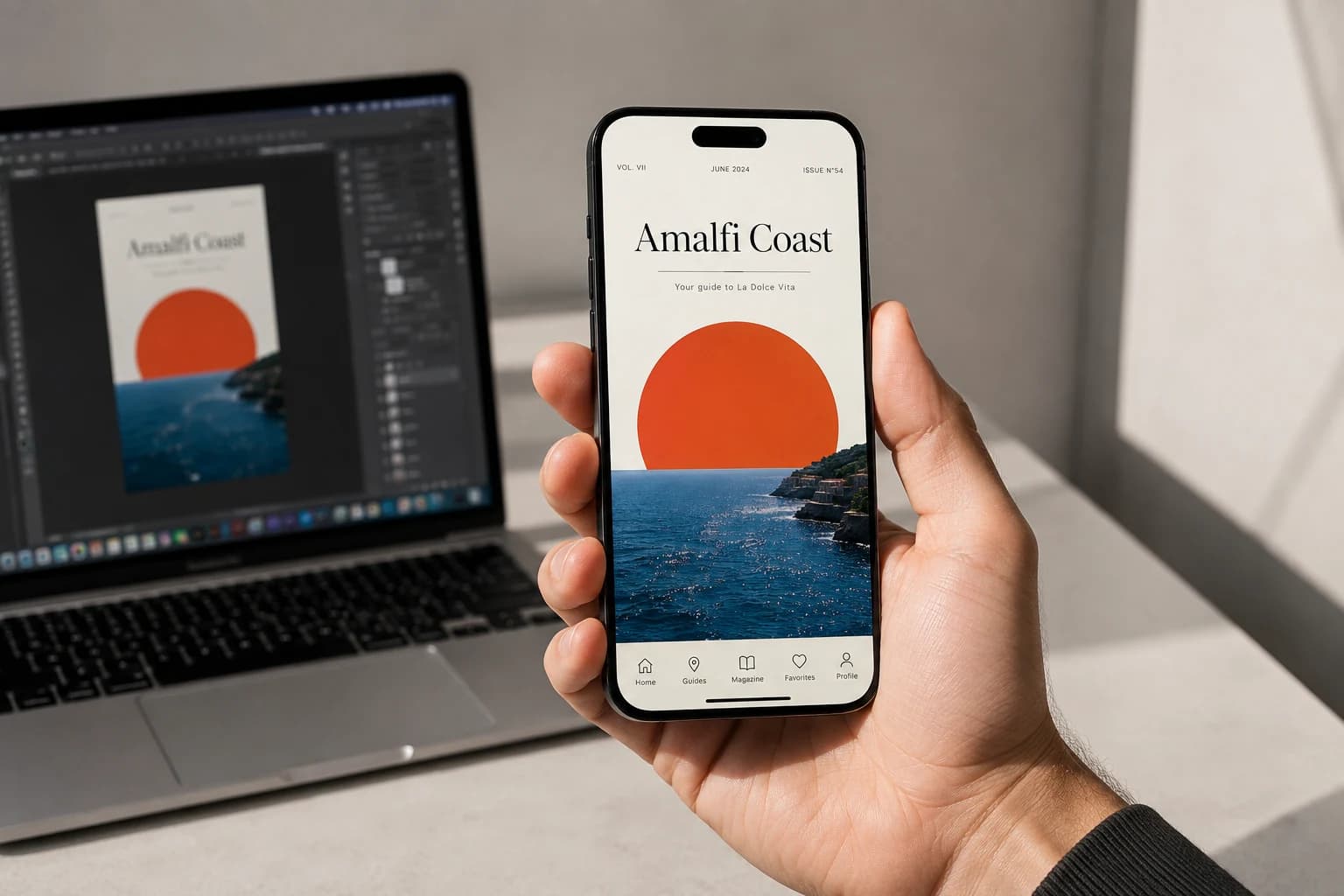
Skip repeated exports, file transfers and opening images.
See how type, spacing and layouts feel on a phone.
Preview images are not uploaded to the account server.
Easy to get started
Sign in to the same account on your Mac and iPhone.
Install FrameMirror and follow the guide to connect your design tool.
Download for Mac (Universal)Open the iPhone app and connect over the same Wi-Fi network or with a USB data cable to preview your designs.
Get the iPhone appSelect a design in your tool. Changes sync as you work.
Read the getting-started guide7-day full-feature trial
Try every feature for 7 days from sign-up.
Decide whether to buy when the trial ends. No automatic charges.
Pick an artboard and adjust its type or spacing.
Watch the changes on your phone and see how it fits your workflow.
Yes. Sign in to the same account on both devices. For wireless preview, join the same Wi-Fi network. For wired preview, connect your Mac and iPhone with a USB data cable. Wired preview over USB requires FrameMirror 1.0.1 or later on both devices.
The iPhone app requires iOS 16 or later, and the Mac app requires macOS 12 or later. Supported tools include Sketch, Photoshop, Figma, Pixso, and Illustrator. See the download page for compatibility details.
All features are available for 7 consecutive days from sign-up. No card is required and you will not be charged automatically.
When your trial expires, picture updates pause on Mac while device connections remain active. Purchase a license to resume live previews.